Dynamic exploration of a Postgres database with the GTInspector
Constructing and previewing queries over relational databases is typically done in dedicated DB client tools that are far away from the development environment. However, when working with relational data, querying is a common activity in software development, and thus it should be supported more prominently by the IDE.
Moreover, database clients are rather poor at doing anything non-textual. Thus, any time a graphical representation is needed, the developer typically resorts to exporting the data and using an external charting tool.
The GTInspector offers a simple set of extensions that brings together both of these aspects into one workflow. In this post, I demonstrate the way it works on a Postgres database, but a similar approach can be used for any other DB binding.
For the purpose of this exercise, I am using the World database, and the PostgresV2 Pharo implementation. To work through it, download the latest Moose image, load the PostgresV2 binding:
Gofer new
     smalltalkhubUser: 'PharoExtras' project: 'PostgresV2';
     configuration;
     load.
(#ConfigurationOfPostgresV2 asClass project version: '2.0-baseline') load
and the GTInspector extension for PostgresV2:
Gofer new
     smalltalkhubUser: ‘Moose’ project: ‘GToolkit’;
     package: 'GT-InspectorExtensions-PostgresV2’;
     load.
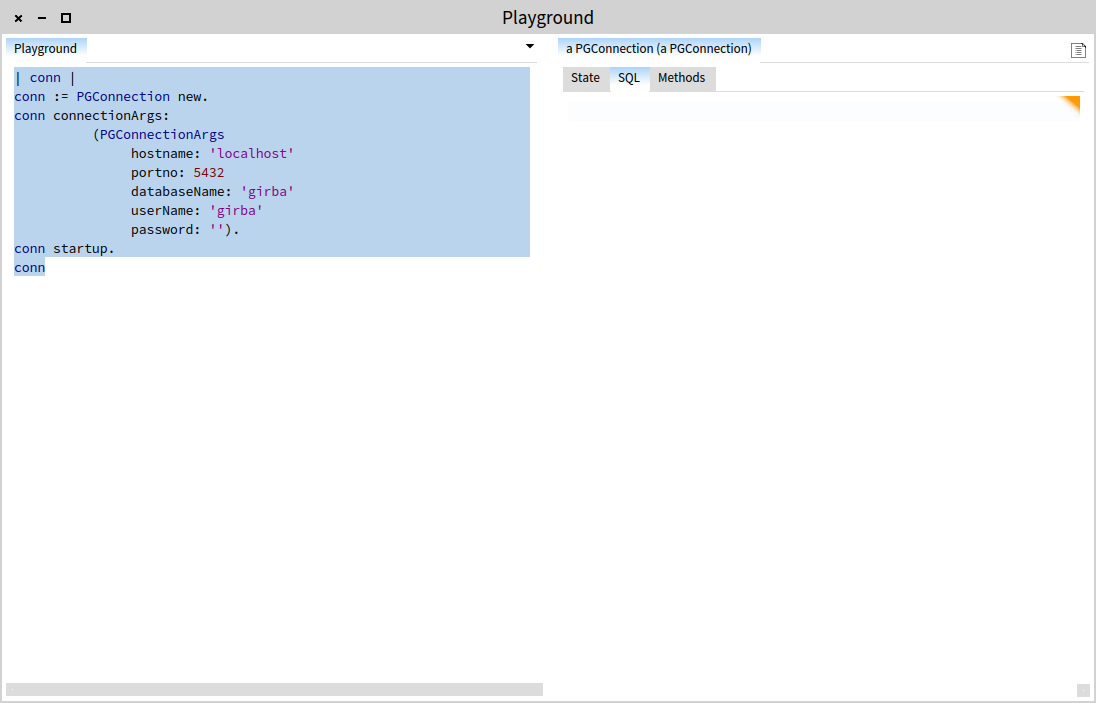
The first step is to create a Postgres connection.
| conn |
conn := PGConnection new.
conn connectionArgs:
          (PGConnectionArgs
               hostname: 'localhost'
               portno: 5432
               databaseName: 'girba'
               userName: 'girba'
               password: '').
conn startup.
conn
Executing this gets you a connection object. The connection object is the entry point to starting any type of DB interaction via SQL. To make this smoother, the GTInspector offers a dedicated SQL presentation.
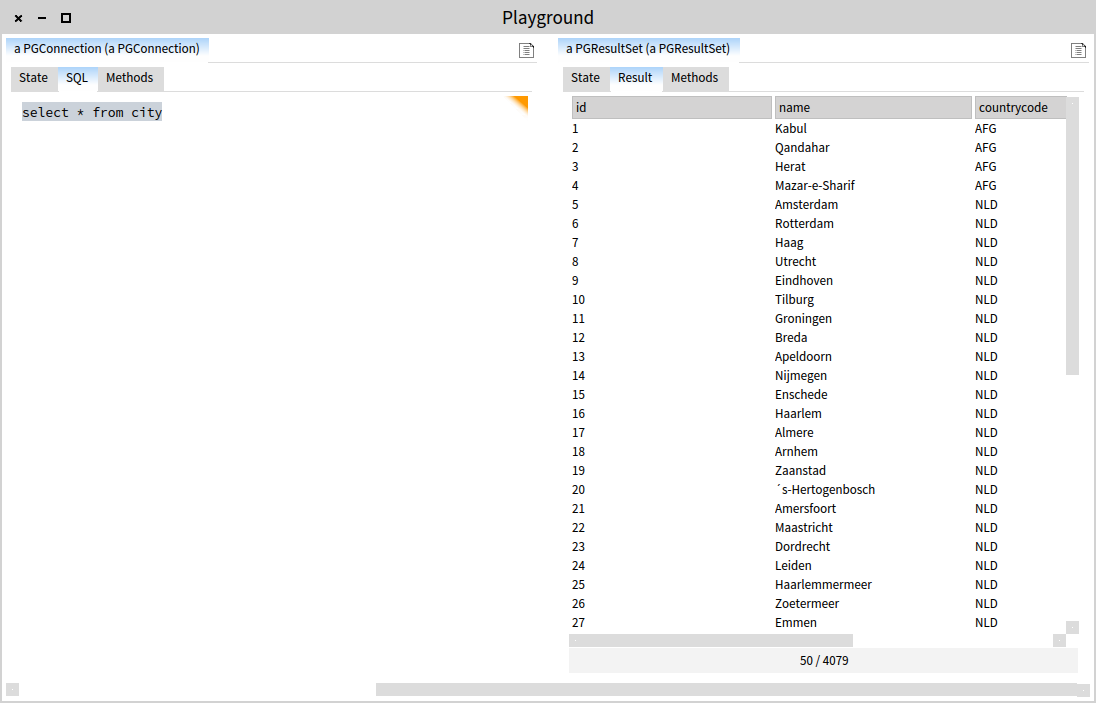
For example, the DB has a city table. Let’s inspect its contents:
select * from city
Executing the query (CMD+o) spawns a result object that can be viewed as a table.
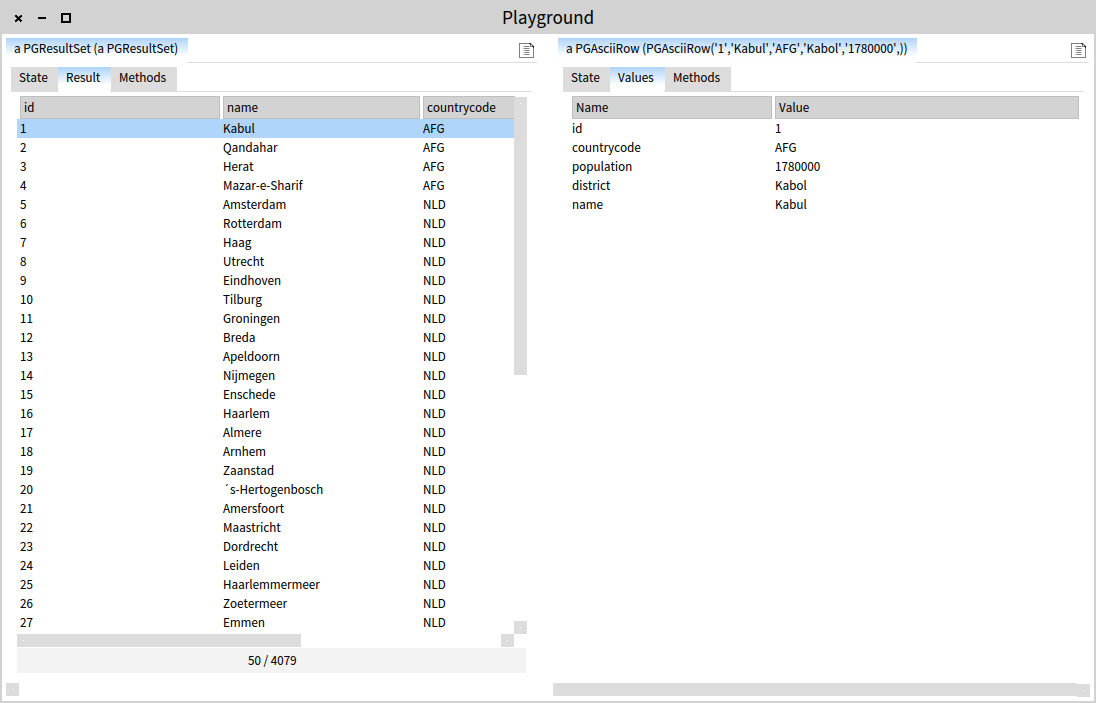
The result table is obviously not static. Selecting a row spawns a preview of all values.
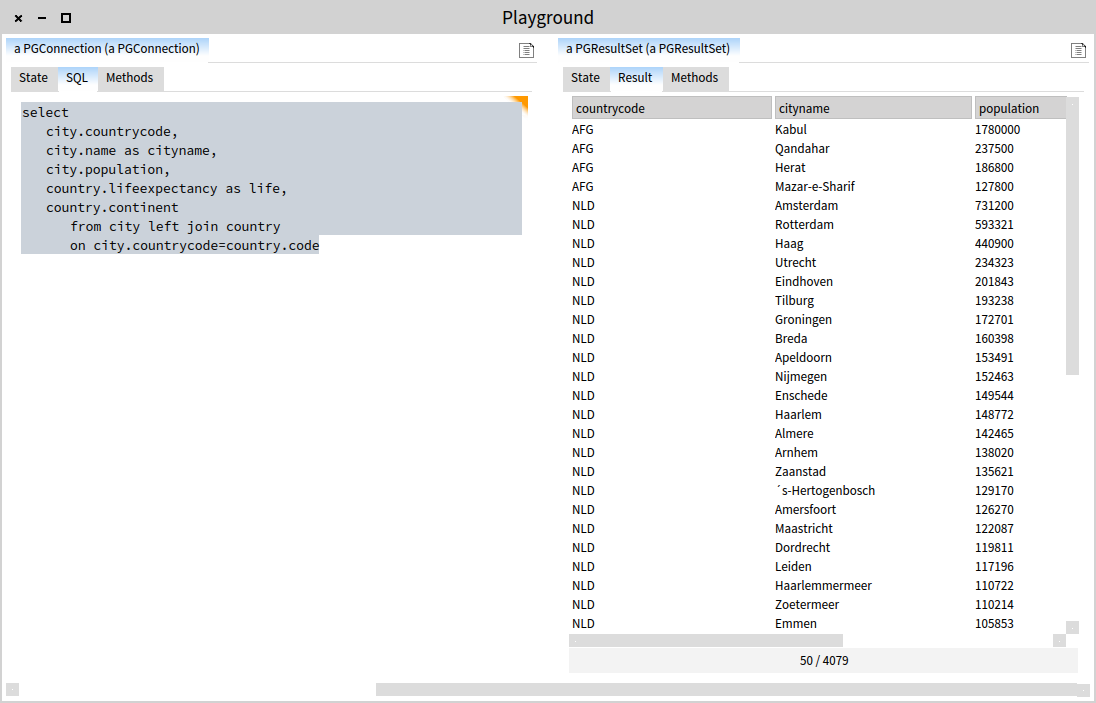
Now, let’s consider a more concrete scenario. We want to get an idea of what are the largest cities in the world and to which continent the belong. For this purpose, we need a more complicated SQL statement:
select
     city.countrycode,
     city.name as city name,
     city.population,
     country.lifeexpectancy as life,
     country.continent
          from city left join country
          on city.countrycode=country.code
Evaluating it, gets us another result.
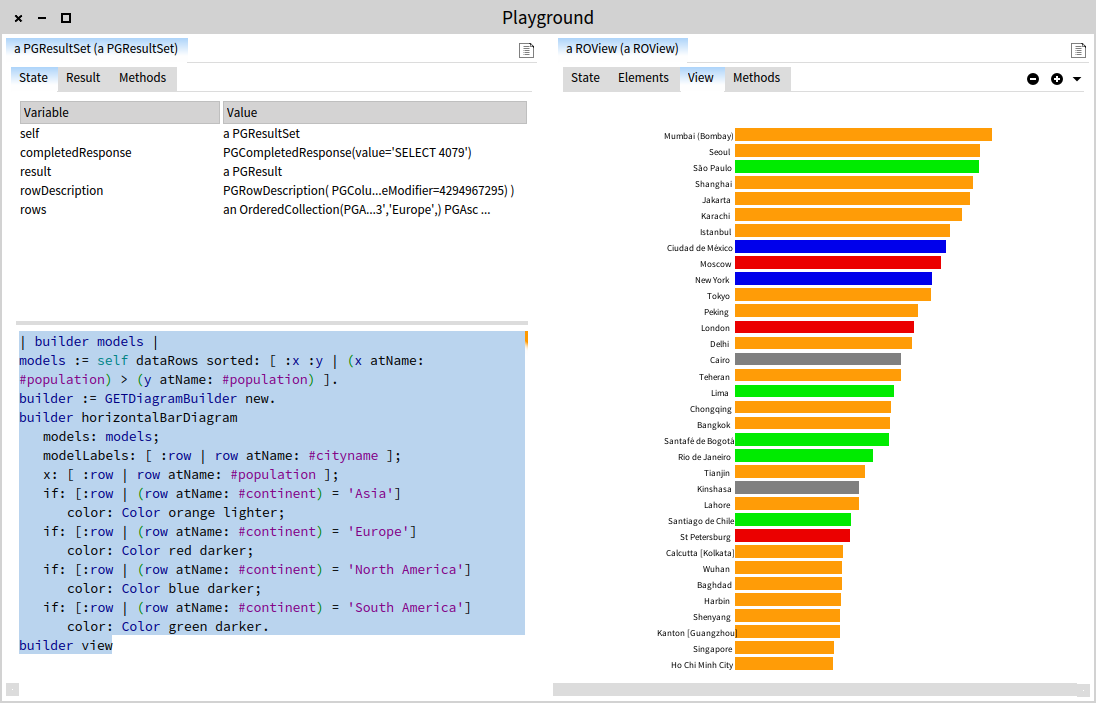
For our problem we would benefit greatly from a visual representation. The simplest way to represent the data is a bar chart. To this end, we can use the Graph-ET engine that ships with Moose and that is integrated in the inspector:
| builder models |
models := self dataRows
          sorted: [ :x :y | (x atName: #population) >
                            (y atName: #population) ].
builder := GETDiagramBuilder new.
builder horizontalBarDiagram
     models: models;
     modelLabels: [ :row | row atName: #cityname ];
     x: [ :row | row atName: #population ];
     if: [:row | (row atName: #continent) = 'Asia’]
          color: Color orange lighter;
     if: [:row | (row atName: #continent) = 'Europe’]
          color: Color red darker;
     if: [:row | (row atName: #continent) = 'North America’]
          color: Color blue darker;
     if: [:row | (row atName: #continent) = 'South America’]
          color: Color green darker.
builder view
Executing the above code within the context of the result object gets us a view object that offers a preview:
Describing this session through screenshots does not quite convey the dynamic experience that allows you to occasionally pick through data and come back to continue scripting. Perhaps the video below tells a better story:
All in all, this session involved multiple actions: querying a DB, previewing results, exploring code to learn the API, scripting a chart, and extending the inspector from within the inspector with a dedicated presentation (shown in the video only). All these are captured through a simple and consistent user interface that offered by the most basic tool available in a Pharo-based image: the inspector. This is not cosmetics. It is an essential redefinition of the I in IDE.
And if we are at it, the implementation of the Postgres specific inspector extensions consists of 36 lines of code.